
Blog / Tips & Tricks

Blog

All Tips & Tricks Lexus Models FAQs Technology Lexus RX Local Dealership Information Color Options Lexus NX Lexus ES Comparison Just for Fun Lexus IS Lexus UX Safety Lexus LS Lexus LC Lexus GX Lexus LX Lexus RC Special Offers Used Lexus L/Certified Lexus RC F Lexus GS News Service Concept
Silver 2021 Lexus LC Convertible on a Coast Highway

Step-By-Step Instructions to the Lexus LC 500 Convertible Soft Top

How To Use the Lexus LC 500 Convertible Top Lexus represents the epitome of automotive luxury and class and the 2021 Lexus LC 500 Convertible is a fan favorite at Earnhardt Lexus in Phoenix. Luxury car shoppers who enjoy power-packed performance and top-down thrills will love the Lexus LC 500 Convertible and many want to know how to use the Lexus LC 500 convertible top. Find out with this quick step-by-step guide and how-to video provided by Earnhardt Lexus! View Our Lexus LC Convertible Inventory Contact the Earnhardt Lexus Sales Team How-To Guide to the Lexus LC 500 Convertible Soft Top Open the Center Palm Rest Pull BACK and HOLD the Switch to Open Push FORWARD and HOLD to Close Convertible Top Status Will Appear on the Multi-Information Display Tone Will Sound When the Operation is Complete Press the Power Window Switch to RAISE or LOWER Windows


Man on a Phone with Earnhardt Lexus Logo and Black How To Make Phone Calls with Lexus Bluetooth Text

Step-By-Step Instructions on How To Make Hands-Free Phone Calls in Your Lexus

How To Make a Phone Call with Lexus Bluetooth Do you spend a lot of time on the phone in your 2021 Lexus RX? Making sales calls or staying in touch with family and friends? The Lexus Enform multimedia system and Bluetooth can help make your phone calls simpler and safer with three ways to contact friends, family or business associates – the Lexus Remote Touch Trackpad, steering wheel buttons with voice commands and Apple CarPlay. Learn more about how to make a phone call with Lexus Bluetooth with the how-to video provided and the step-by-step guide created by Earnhardt Lexus in Phoenix. How-To Guide to Lexus Bluetooth Phone Calls Lexus Remote Touch Trackpad Press MENU Press PHONE Select the Contact You Wish to Call Steering Wheel Buttons and Voice Commands Press the VOICE Button on the Steering Wheel Say CALL and the Contact Name Apple CarPlay Select the Apple CarPlay App Say SIRI CALL and the Contact Name

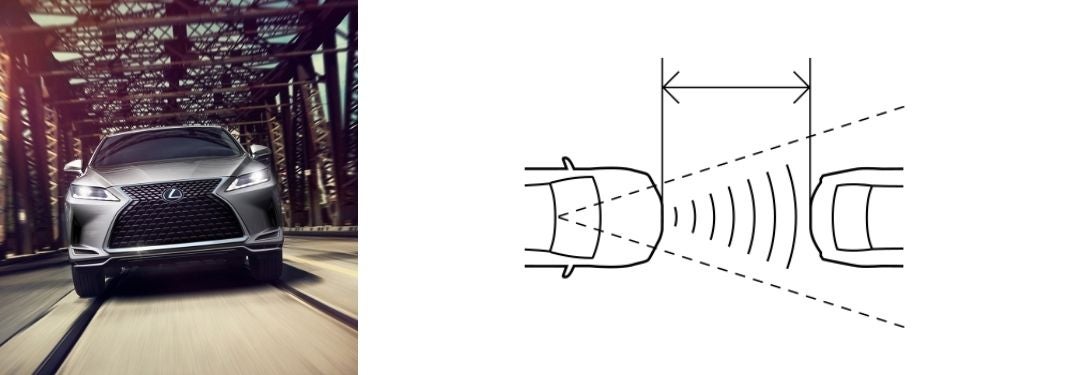
Gray 2021 Lexus RX on a Bridge with Black and White Diagram of Dynamic Radar Cruise Control

Step-By-Step Instructions to Lexus Dynamic Radar Cruise Control

How To Use Lexus Dynamic Radar Cruise Control Next-generation Lexus luxury models like the 2021 Lexus IS are equipped with an impressive array of technology that includes the brand-new Lexus Safety System+ 2.5. Dynamic Radar Cruise Control is a premium feature in that system that allows drivers to set a safe speed and following distance in traffic - which is maintained via radar and sensors employed by the intelligent cruise control system. Learn how to use Lexus Dynamic Radar Cruise Control with this quick step-by-step guide. Find and test drive a Lexus model that fits your lifestyle today at Earnhardt Lexus! How-To Guide to Lexus Dynamic Radar Cruise Control Press the ON/OFF Button Located on the Steering Wheel Lever Accelerate to Your Desired Speed - Above 30 MPH Pull Down on the Lever to Set Your Speed Press the Lever UP to Increase Speed Press the Lever DOWN to Decrease Speed Press the CAR ICON on the Steering Wheel to Set Following Distance Pull the Lever Towards You to Cancel Cruise Control OR Press the Brake

Close Up of 2021 Lexus LC 500 Head-Up Display Information

Learn To Adjust the Lexus Head-Up Display Brightness, Settings and More

How To Adjust the Lexus Head-Up Display Settings State-of-the-art Lexus vehicles – like the 2021 Lexus RX luxury crossover – will keep you safe and connected no matter where adventure takes you. When equipped with the Lexus Head-Up Display, vital vehicle information is projected onto the windshield, so you never have to take your eyes off the road. Information displayed with the Head-Up Display includes turn-by-turn directions, vehicle speed, gear position and safety alerts. Learn how to adjust the Lexus Head-Up Display settings with this quick step-by-step guide provided by Earnhardt Lexus. How-To Guide to Lexus Head-Up Display Settings Press the HUD Button on the Dashboard to Turn On Press the MENU Button on the Lexus Steering Wheel Scroll to SETTINGS on the Multi-Information Display Menu Scroll Down to HUD BRIGHTNESS/POSITION and Press SELECT Use the Arrow Keys to Adjust Brightness and Position Return to the SETTINGS Menu Scroll Down to VEHICLE SETTINGS and Press Select Scroll Down to HUD DRIVING SUPPORT and Press Select Select TACHOMETER SETTINGS and Use Arrows to Change Settings Select NAVIGATION and Use Arrows to Change Settings Select DRIVING ASSIST and Use Arrows to Change Settings Return to the SETTINGS Menu Select HUD ROTATION and Use Arrows to Adjust Settings

White 2021 Lexus RX on City Street with Headlights Shining

Lexus Headlights: How-To Guide to Intelligent High Beams

How To Use the Lexus Intelligent High Beams The Lexus brand puts safety first with innovative technology that includes the Lexus Safety System+ 2.5 features and Lexus Intelligent High Beams. Armed with the available Lexus Intelligent High Beams, models like the 2021 Lexus RX will provide unrivaled visibility when driving at night in the Phoenix area. Learn how to use the Lexus Intelligent High Beams with this quick how-to guide created by Earnhardt Lexus and stay safe on the roads. Step-By-Step Instructions to Lexus Intelligent High Beams Turn the Headlight Stalk to AUTO Push the Headlight Stalk AWAY From You Press the AUTO Switch on the Lower Left of the Lexus Dashboard

Young Couple in a New Car Holding a Key Up

Step-By-Step Guide to Replacing the Battery in Your Lexus Smart Key

How To Change the Lexus Smart Key Battery The Lexus Smart Key is an ultra-convenient feature that allows you to lock and unlock doors, open the trunk and start your 2021 Lexus IS without ever taking the key out of your pocket. But what happens when the battery dies in your Lexus Smart Key? We have got you covered at Earnhardt Lexus with a step-by-step guide on how to change the Lexus Smart Key battery. Use this how-to guide to replace the battery in your Lexus key and get back on the road! How-To Guide to Changing the Lexus Smart Key Battery Remove the Mechanical Key from Your Lexus Smart Key Use the Mechanical Key to Remove the Lexus Smart Key Battery Cover Use a Small Flathead Screwdriver to Remove the Dead Battery Insert the New Battery with the Positive+ Side Up Replace the Lexus Smart Key Battery Cover

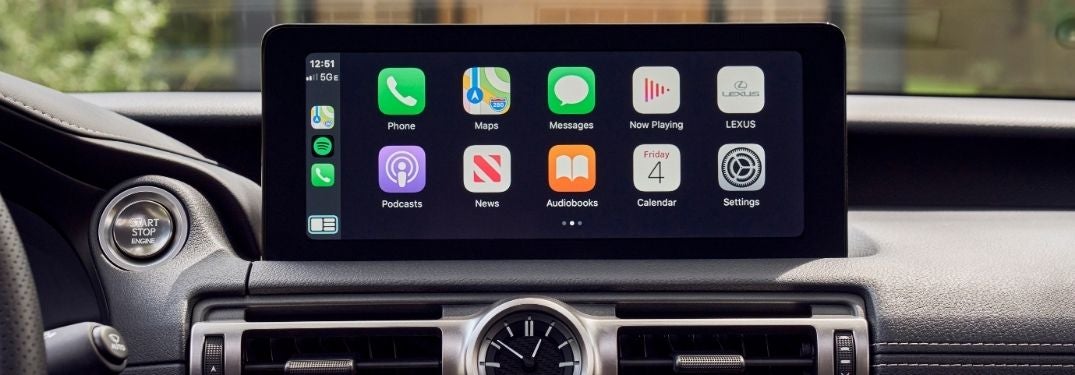
Close Up of 2021 Lexus IS Touchscreen Display with Apple CarPlay

Step-By-Step Instructions to Use Apple CarPlay in Your Lexus

How To Set Up and Use Lexus Apple CarPlay Are you looking for a luxury car or crossover that will keep you connected on your commute? Luxury models like the 2021 Lexus ES equipped with Apple CarPlay smartphone integration provide one-touch access to your favorite iPhone apps and functions via the Lexus Enform touchscreen display. Learn how to set up and use Lexus Apple CarPlay with this quick how-to guide provided by Earnhardt Lexus. Add Lexus luxury and Apple CarPlay to your commute today when you visit the Earnhardt Lexus inventory! READ MORE: Which Lexus Models Are Available with Apple CarPlay Phoenix AZ? How-To Guide to Lexus Apple CarPlay Connect Your Apple Device to Your Lexus Via a USB Cable Press and Hold the Talk Button to Use Siri Voice Commands Select the Apple Music App and Choose a Playlist to Stream Music Select Apple Maps and Use Voice Commands to Get Directions – Press Go Select the Messages App to Send and Receive Messages with Voice Commands Press Menu on the Touchpad to Access Apple CarPlay Settings

Red 2021 Lexus IS F Sport Rear Exterior on a Track

Step-By-Step Guide to the Lexus Adaptive Variable Air Suspension

How To Use the Lexus Adaptive Variable Air Suspension A trademark feature of performance-tuned Lexus F Sport models like the new Lexus IS F Sport, the Lexus Adaptive Variable Air Suspension will sharpen handling and increase stability when you reach high speeds. The Lexus Adaptive Variable Suspension employs an array of sensors that monitor G-forces and will automatically adjust the suspension dampers to improve performance. Lexus Drive Mode Select and manual controls can also be used to adjust suspension performance and ride height. Learn how to use the Lexus Adaptive Variable Air Suspension with this quick guide by Earnhardt Lexus. Find a Lexus model equipped with the Lexus Adaptive Variable Air Suspension today when you visit the Earnhardt Lexus inventory! READ MORE: How To Set a Custom Drive Mode in Your Lexus

Close Up of 2021 Lexus ES Multi-Information Display and Digital Instrument Cluster

Learn How To Set Up and Customize the Multi-Information Display in Your Lexus

How To Customize the Lexus Multi-Information Display Did you know that you can customize the settings for the Lexus Multi-Information Display? A customizable format allows you to turn Lexus Safety System+ 2.0 features on or off at your discretion, adjust sensitivity for the Pre-Collision System, change volume and alert settings, set service reminders, change the clock and much more at the touch of a button. Learn how to customize the Lexus Multi-Information Display in your 2021 Lexus RX with this how-to video provided by Lexus. Visit the Earnhardt Lexus inventory today to find a Lexus luxury car or crossover that will meet your criteria! READ MORE: How To Set a Maintenance Reminder in Your Lexus Lexus Multi-Information Display How-To Video

Man Driving 2021 Lexus RX

Step-By-Step Instructions to the Lexus Voice Recognition Feature

How To Use Lexus Voice Recognition Mode The Voice Recognition Mode feature in your 2021 Lexus RX will add to your automotive experience with the ability to control Lexus features with simple voice commands. Next-generation Lexus models provide drivers with a Training Mode that will help you establish the voice commands you need to place phone calls, send text messages and improve overall voice recognition performance. Learn how to use Lexus Voice Recognition Mode with this step-by-step tutorial provided by Earnhardt Lexus. Visit the Earnhardt Lexus inventory today to find a Lexus luxury vehicle that will meet your needs in Phoenix! READ MORE: How To Understand Lexus Dashboard Warning Lights and Indicators How-To Guide to Lexus Voice Recognition Mode Press the MENU Button on the Remote Touchpad Select SETUP on the Lexus Enform Touchscreen Display Select VOICE on the Menu Select TRAIN VOICE RECOGNITION Select START to Begin Follow the Voice Prompts OR Press the TALK Button on the Steering Wheel Select VOICE TRAINING on the Menu Select START to Begin Follow the Voice Prompts

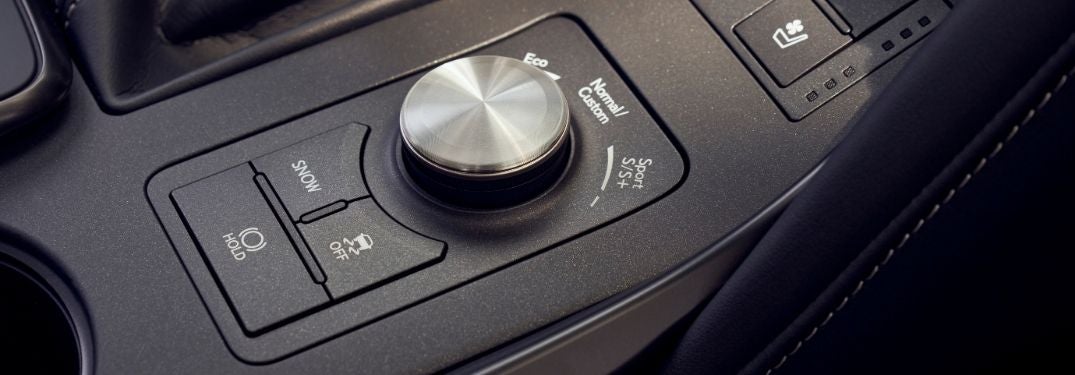
Close Up of 2021 Lexus IS Drive Mode Select Dial

Step-By-Step Instructions to Lexus Custom Drive Modes

How To Set a Custom Drive Mode in Your Lexus Performance is a hallmark of the 2021 Lexus IS and many more models in the Lexus lineup. Armed with Lexus Drive Mode Select – Lexus models allow you to pick a drive mode to fit your driving style and Custom Mode adds customizable performance to your drive. Learn how to set a custom drive mode in your Lexus with this quick step-by-step guide. Visit the Earnhardt Lexus inventory to find a Lexus car or crossover that will deliver the elite level of performance you crave! READ MORE: How To Customize the Vehicle Settings in Your Lexus How-To Guide to Lexus Drive Mode Select Custom Mode Press MENU on the Lexus Enform Touchscreen Display Select SETUP on the Lexus Enform Touchscreen Display Select VEHICLE on the Lexus Enform Touchscreen Display Select DRIVE MODE CUSTOMIZATION on the Lexus Enform Touchscreen Display Adjust POWERTRAIN, CHASSIS and CLIMATE Settings Press the Button on the End of the Drive Mode Select Switch for Custom Mode

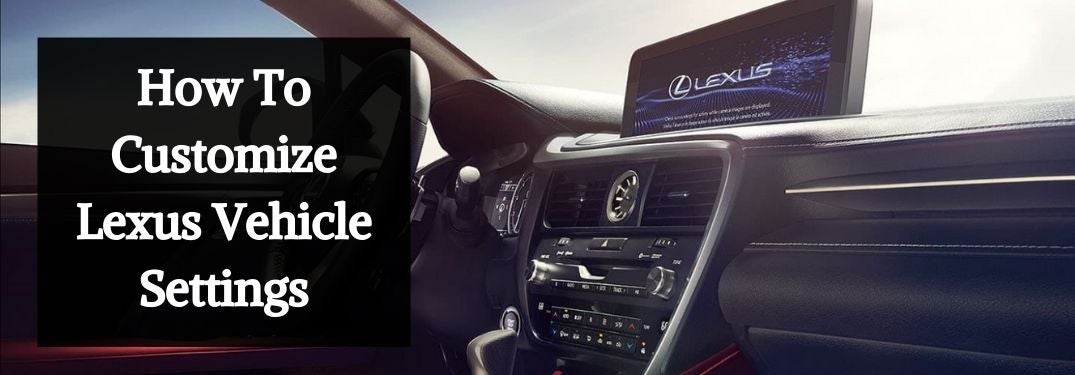
2021 Lexus RX Front Interior with White How To Customize Lexus Vehicle Settings Text on a Black Background

Step-By-Step Instructions to Customize Lexus In-Vehicle Settings

How To Customize the Vehicle Settings in Your Lexus Did you know that you can customize the vehicle settings in your 2021 Lexus RX? The innovative Lexus Enform touchscreen infotainment system gives drivers the ability to customize door lock settings, climate control settings, light settings and additional vehicle settings at the touch of a button. We are here to help you optimize your Lexus experience at Earnhardt Lexus with a step-by-step guide that will outline how to customize vehicle settings in your Lexus. Find a Lexus luxury car or crossover to match your lifestyle today when you visit the Earnhardt Lexus inventory! READ MORE: How To Set a Maintenance Reminder in Your Lexus How-To Guide to Lexus Vehicle Settings Press MENU on the Lexus Enform Control Pad or Touchscreen Display Select the SETUP Icon Select the VEHICLE SETTINGS Icon Select VEHICLE CUSTOMIZATION Choose From – Door Lock Settings, Climate Settings, Light Settings and Other Vehicle Settings

Contact Us

Fill out this form below and we'll contact you shortly
*Required Fields