
Blog / FAQs

Step-By-Step Instructions To Send Text Messages with Lexus Enform

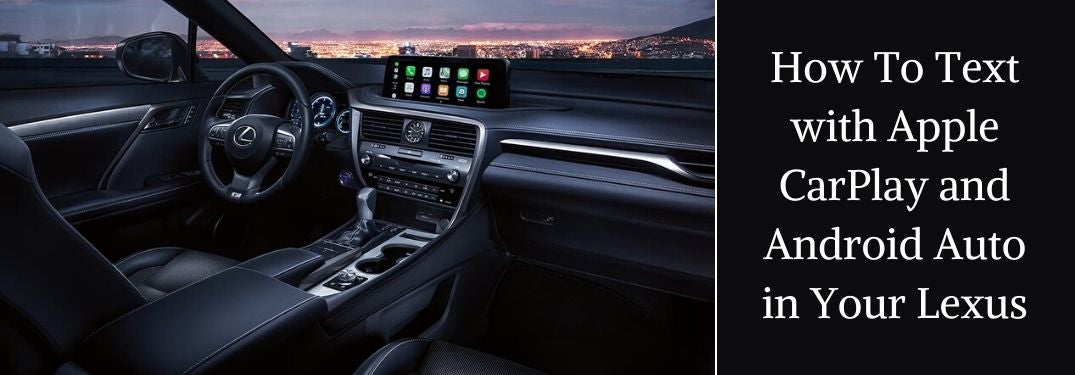
2020 Lexus RX F Sport Front Interior with Apple CarPlay and Black Text Box with White How To Text with Apple CarPlay and Android Auto in Your Lexus Text

How To Use Lexus Enform Apple CarPlay and Android Auto to Text Message

It is not safe to text and drive. Luckily – in models like the 2020 Lexus RX equipped with Lexus Enform Apple CarPlay and Android Auto – you don’t have to. Apple CarPlay and Android Auto smartphone integration allow you to send text messages with voice-to-text capabilities. Learn how to use Lexus Enform Apple CarPlay and Android Auto to text message with this step-by-step guide and how-to video series. Find a Lexus luxury car or crossover equipped with Apple CarPlay and Android Auto today when you explore the Earnhardt Lexus online inventory!

READ MORE: How To Pair Your Smartphone with Lexus Enform Bluetooth


How To Use Apple CarPlay to Send Texts in Your Lexus

     
  1. Connect Your iPhone to Your Lexus via USB
  2. Enable Apple CarPlay on Your iPhone
  3. Press and Hold the Talk Button on the Steering Wheel
  4. Wait Until You Hear the Siri Alert
  5. Say Send a Text Message To ___ and Your Message
  6. Siri Will Ask You to Confirm Your Message
  7. Say YES to Send Your Text Message

How To Use Android Auto to Send Texts in Your Lexus

     
  1. Connect Your Android Device to Lexus Enform via USB
  2. Enable Android Auto on Your Smartphone
  3. Press and Hold the Talk Button on the Steering Wheel
  4. Wait Until You Hear the Google Alert
  5. Say Send a Text Message to ____ and Your Message
  6. Google Will Ask You to Confirm Your Message
  7. Say YES to Send Your Text Message
Posted in:

Related Posts

A white 2022 Lexus EV parked in a white room, as seen in front 3/4 view.

Where Did the Lexus Name Come From?

Lexus feels like a brand name that’s been around forever, but it is fairly young. There is a story behind the origin of the name, as well as of the famed cars themselves. Where did the Lexus name come from? Continue reading to hear the story about the beginnings of a household name in automotive luxury, from Earnhardt Lexus. more What Is the Origin of the Lexus Brand? The idea of bringing a luxury brand based on Toyota sensibilities came forth in 1983. Executives at Toyota felt that they could compete in that marketplace and wanted to make a mark. Around the same time, Honda and Nissan launched their Acura and Infiniti brands. With the competition becoming fierce abroad and at home, Toyota launched the first Lexus in its Lexus luxury line in 1989. The LS 400 sedan set new standards in performance, comfort, and technology. With a 4.0-liter V8 that delivered over 250 horsepower, a motorized telescopic tilt steering wheel, double wishbone suspension, and plenty of legroom, the LS 400 quickly made its mark. Contact Us View Our Inventory So, where did the Lexus name come from? Apparently, the first list of potential names held over 200 suggestions. One theory suggests that the name was derived from “luxury exports to the US”. While this is a fine theory, no one at the company is claiming that there is any truth to this. The company itself claims that the word has roots in Greek and Latin, combining the ideas of elegance and language. Whatever the root of the word is, we can all agree that Lexus is a name that captures the imagination, and holds onto it. Read More: The 2022 Lexus NX In-Depth Find a New 2022 Lexus Vehicle in Phoenix AZ at Earnhardt Lexus Earnhardt Lexus in Phoenix, AZ has the Lexus you want. If we don’t have it in stock, we can order from the factory for you, which allows you to customize your vehicle with factory options selected by you. Please stop in for a visit, or contact us for more information. Make sure to take a test drive!

2022 Lexus NX Rear Exterior and Badge

How Does Lexus Remote Connect Work?

What Are the Lexus Remote Connect Features and Functions? Technology is a hallmark of the Lexus brand that works to make your life simple and safe. Lexus Remote Connect promises to be a highlight of your automotive experience and is available in many popular models like the 2022 Lexus NX. Phoenix-area drivers who are interested in the features and capabilities of their favorite Lexus models want to know – what are the Lexus Remote Connect features and functions? Find out with this quick guide created by Earnhardt Lexus! more Remote Engine Start/Stop The scorching heat of summer is no longer a problem with Lexus Remote Connect and access to the remote start/stop feature in your Lexus. Use the Lexus app on your smartphone to remote start your vehicle in the summer and cool down your vehicle. Vehicle Finder We have all parked in a crowded lot and struggled to find our vehicle when we leave. The Lexus Remote Connect Vehicle Finder function will make finding your Lexus luxury car or crossover simple with an easy-to-read map on your smartphone. Door Lock/Unlock Did you forget to lock your doors? Does a member of your family need to get into your car? Lexus Remote Connect allows you to lock or unlock the doors of your Lexus vehicle via the smartphone app – without ever having to be near your vehicle. Guest Driver Monitor Families who own a brand-new Lexus with a young driver in the house can employ Lexus Remote Connect to monitor driving activity. Lexus Guest Driver Monitor will provide alerts when the vehicle exceeds preset speeds, will monitor miles driven and more to keep owners informed. Vehicle Status and Alerts Did you forget if you need gas or not? Did you leave your moonroof open? How many miles are on your odometer? Check your vehicle status and get alerts for the status of Lexus-brand systems via the Lexus Remote Connect app. Amazon Alexa Voice Commands Lexus Remote Connect can be paired with Amazon Alexa to provide you with access to the features and functions in the list above via simple voice commands. Simply say, “Hey Google” or “Alexa” with a voice command to get the information you need. READ MORE: Learn How To Use the Lexus Intelligent Assistant Feature What are the Lexus Remote Connect features and functions? Find out how a Lexus Remote Connect subscription will upgrade your drive with this quick guide created by Earnhardt Lexus in Phoenix. Contact the dealership today to test drive a Lexus luxury car or crossover that is equipped with Lexus Remote Connect!

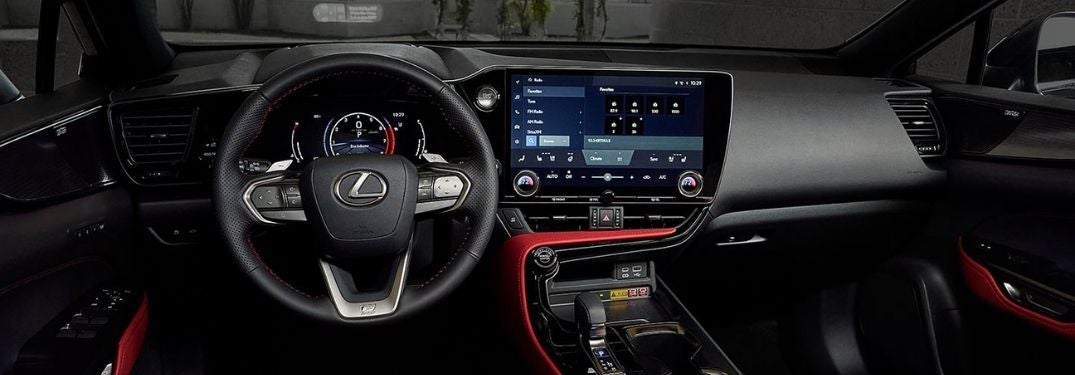
2022 Lexus NX Touchscreen Display with Intelligent Assistant

Step-By-Step Instructions to the Lexus Voice-Activated Intelligent Assistant

How To Use the Lexus Intelligent Assistant Feature The Lexus Interface system in the brand-new 2022 Lexus NX – and many more future Lexus models – provides next-level connectivity and capability. To upgrade infotainment, the Lexus NX is available with a 14-inch touchscreen Lexus Interface system that adds Lexus Intelligent Assist voice-activated technology. Equipped with Lexus Intelligent Assistant, your Lexus will provide an upgrade to the standard Lexus Voice Assistant with a Lexus Drive Connect subscription, location-based weather updates, location-based navigation and unrivaled audio streaming with simple voice commands and a User Profile. Learn how to use the Lexus Intelligent Assistant feature with this quick guide created by Earnhardt Lexus in Phoenix and schedule a test drive in your dream car today! more How-To Guide to Lexus Intelligent Assistant Subscribe to Lexus Drive Connect Push the Voice-Command Button on the Steering Wheel Say “Hey Lexus” to Activate Lexus Intelligent Assistant Give Lexus Intelligent Assistant a Voice Command Search for an Address or Point of Interest Make a Phone Call or Send a Text Access Radio Stations and Weather Updates Adjust Climate Control Settings READ MORE: How To Use Lexus Dynamic Radar Cruise Control